

Most teams assume the same thing. If you want to train people properly, you need a learning management system. So you buy one. You set up the Slack integration. You configure the notifications.
And then nobody completes the training.
The problem isn't the Slack integration. For some teams, an LMS is exactly the right tool. But for many others, it's adding complexity to a problem a simpler approach would solve.
This article helps you figure out which camp you're in. Here's what we'll cover:
- When a learning management system with Slack integration is worth it
- When to skip the LMS and train directly through your Slack workspace
- How to create and deliver training in Slack without an LMS
- FAQs on Slack training integration
When an LMS with Slack integration makes sense
Not every team needs to rethink their setup. For some, a learning management system is doing real, necessary work.
Slack integration adds genuine value when the LMS is already handling things that aren't easily replaced. Think SCORM compliance, complex learner paths, certification tracking, or regulatory requirements with a full audit trail. In those cases, Slack notifications help learners stay on track without leaving their daily workflows.
Here are four LMS platforms that integrate directly with Slack:
- TalentLMS — sends real-time notifications and Slack notifications for course deadlines and completions. Well-suited for mid-size teams that need structured paths, gamification, and SCORM support.
- Docebo — pushes course announcements into Slack channels and offers robust reporting and AI capabilities. Built for enterprise teams needing deep insights and audit trails.
- 360Learning — notifies learners via Slack when peers create or update courses. Designed for collaborative learning and social learning across teams.
- Tovuti — delivers Slack notifications alongside a broad set of integrations. Works well for organizations running multiple training programs across departments.
If your team fits this profile, the LMS with Slack integration is a reasonable investment. But most teams don't fit this profile.
When to skip the LMS and use Slack as the training environment instead
Most teams don't have a compliance mandate, a dedicated L&D team, or hundreds of employees on structured learning paths. They have knowledge that needs to move. And they need it to move fast.
For those teams, Slack isn't just a notification channel. It can be the training environment itself. Here's how to know if that's you.
Your team is moving too fast for formal course cycles
When a product ships or a process changes, teams can't wait weeks for a course to be built. The knowledge needs to move now. Training needs to be created and delivered inside the Slack channels where the conversation is already happening. Waiting on a formal cycle means new hires and existing employees are left piecing things together on their own.
Training completion is low because the system creates friction
If employees aren't completing training, the instinct is to send more Slack notifications. But the real problem is often the tool itself. A separate login. A clunky interface. A platform nobody visits unless they're forced to. When training lives outside daily workflows, it gets treated as optional.
Nobody on your team owns the LMS
A learning management system requires someone to manage it: admin access, user enrolment, content updates, and engagement tracking. In smaller teams, that person often doesn't exist. The LMS sits partly configured and gradually out of date, while the actual employee training happens informally over Slack anyway.
You need training to come from the people closest to the work
The best person to build sales training is often the top-performing sales rep. The best person to document a support process is the support lead who lives it daily. An LMS with a complicated authoring workflow puts that creation out of reach. If the tool is too complex for subject matter experts to use, the knowledge stays trapped.
How to create training with Coassemble and share it in Slack
The reason training gets stuck isn't a lack of knowledge. It's the absence of a fast, simple path from "I know this" to "my team can learn this."
Coassemble removes that bottleneck. It helps teams transform everyday documents into structured, trackable training, without long timelines or specialized roles. Here's what that process looks like end-to-end.
Step 1: Open the course builder
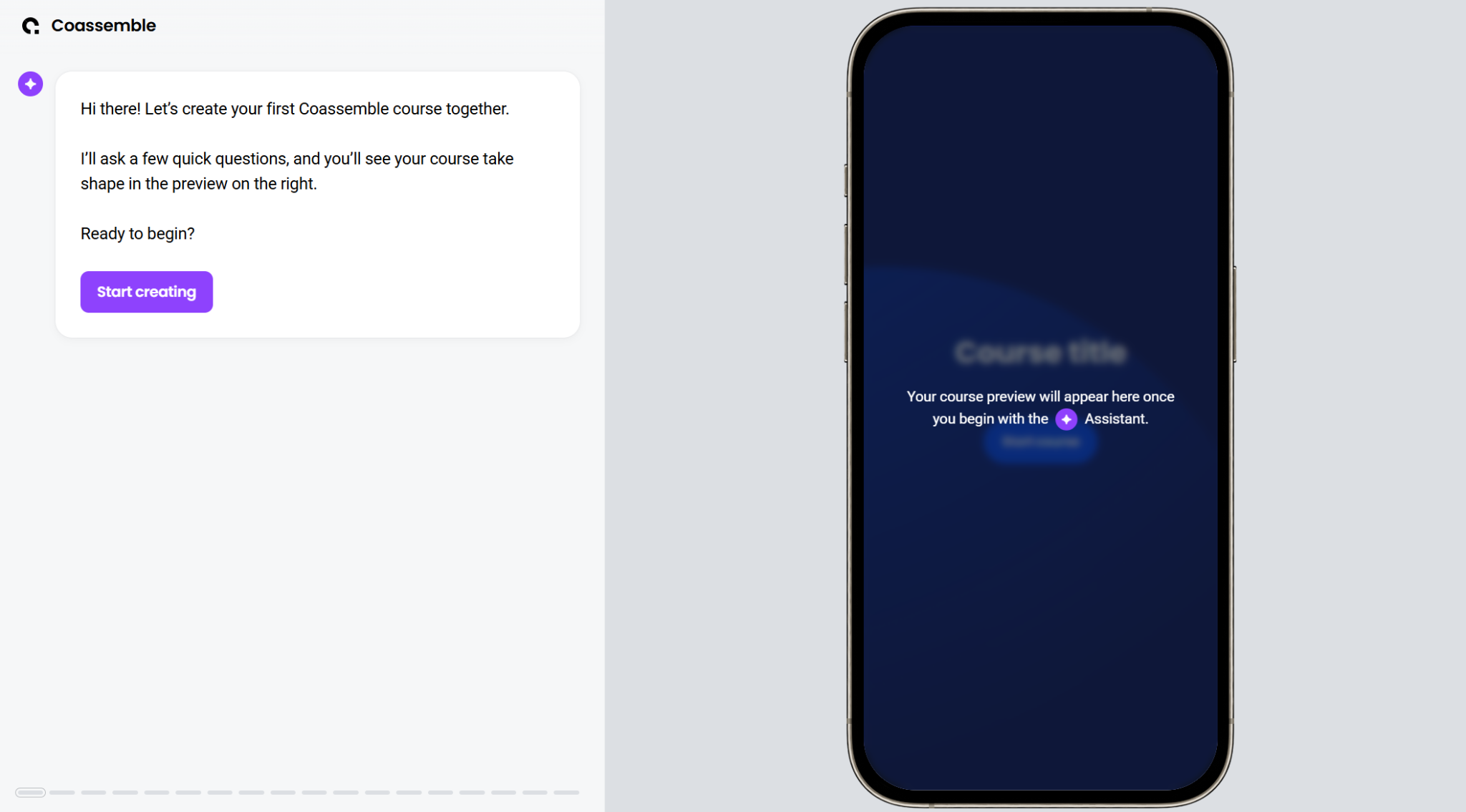
Open Coassemble's course builder and select Start creating. It loads instantly, so you can explore before committing to anything.
Step 2: Start from content you already have
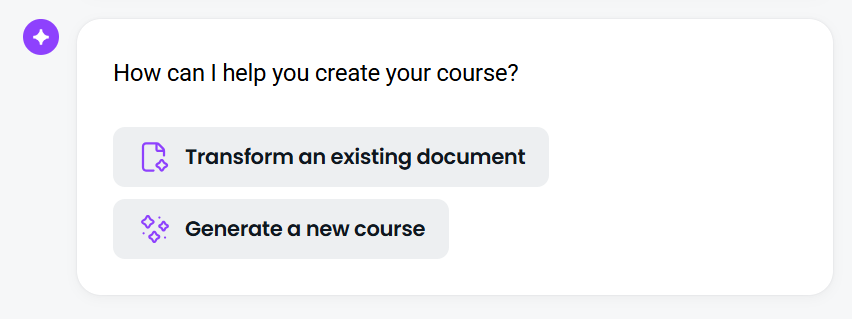
Choose how you want to build. For most teams, the fastest path is uploading training materials you already have: a PDF, a PowerPoint, a Word doc. Coassemble's AI scans the file, pulls out the key ideas, and organizes them into a structured course. Your Google Drive files work here too. No starting from scratch — just existing learning materials turned into structured training.
Step 3: Set the direction
Answer a few short questions to shape the course before it's generated. Things like: what should learners take away from this? Who are they? These inputs help the AI align tone, structure, and learning objectives with your audience.
Step 4: Review the generated course
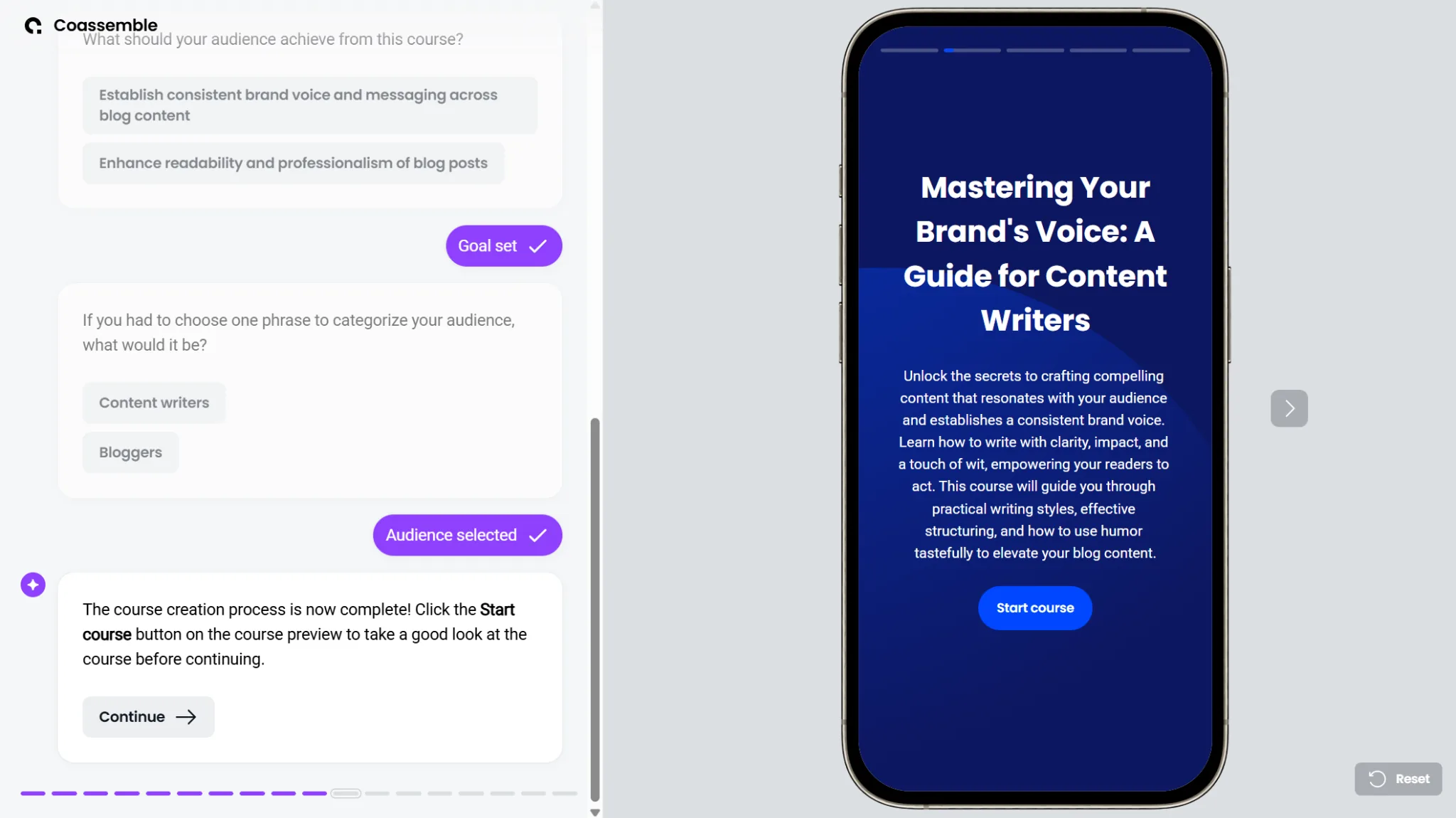
Coassemble generates a full draft in seconds. Lessons appear in sequence with the structure already in place. Click through each section to check flow and accuracy. When you're happy, click Continue.
Step 5: Share training where work happens
Before publishing, you'll see optional enhancements: quizzes and customizable branding. Add them if needed, then choose how to deliver.
For most teams, Slack is the fastest path. Paste the course link into the relevant Slack channel or send it as a direct message. Learners get a one-click entry point with no extra logins. Training fits naturally into their daily workflows, whether they're on desktop or mobile.
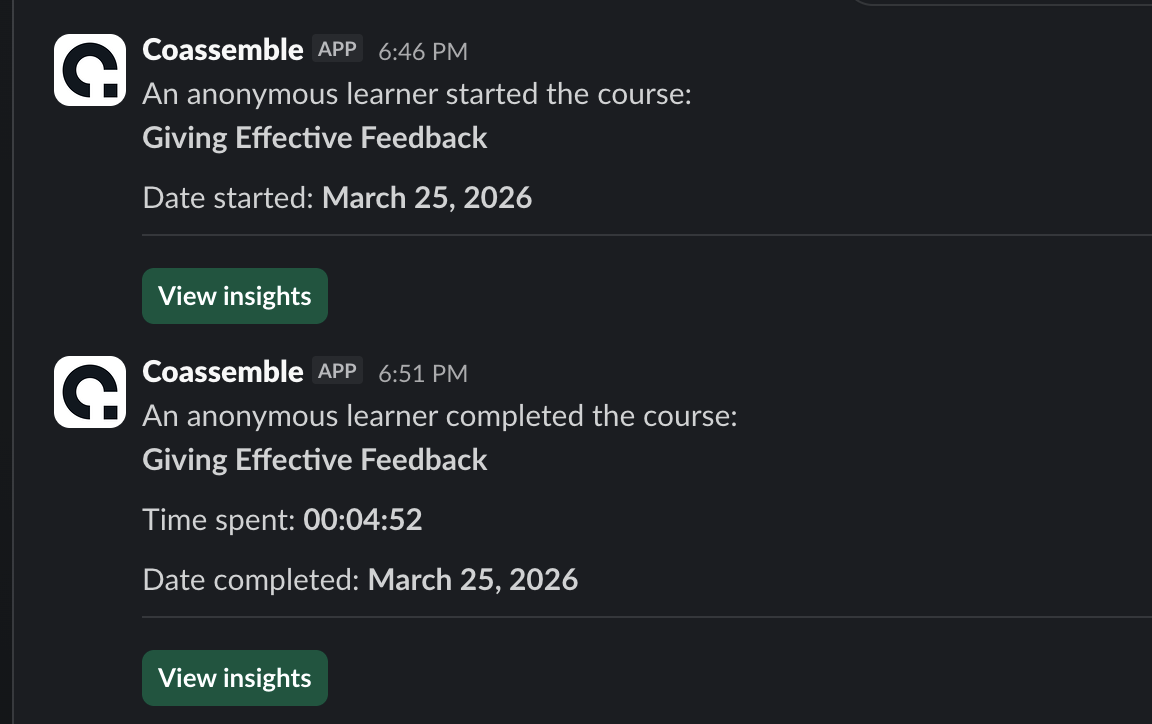
You also get notifications on Slack whenever someone starts and completes a course.
Step 6: Track, measure, and improve
Create a free Coassemble account to save and share your course. Learners open it without friction. Teams get a clear view of completions, quiz results, and engagement tracking. Deeper learner insights are available on paid plans.
That visibility turns Slack from a place where knowledge disappears into a space where measurable outcomes are easy to see and share. It makes scaling learning across teams straightforward and keeps training current as your team grows.
For more on building this kind of setup, see how to turn Slack into a learning hub and how to design learning experiences on Slack.
The bottom line
The question isn't "which LMS integrates best with Slack?" It's "does my team actually need an LMS at all?"
For teams that do — large, compliance-driven organizations with dedicated L&D resources — the integration is worth the investment. The platforms covered above handle that well.
But for the majority of fast-moving teams, the LMS is adding a layer of complexity that's killing engagement. Training sits outside daily workflows. Completion stays low. Knowledge stays trapped.
You don't need a learning management system to deliver great training. You need knowledge that moves where your team already works.
When training lives inside Slack channels, it stops being a separate task that employees fit around their day. It becomes part of the daily rhythm. And when it's built with a tool like Coassemble, it's trackable, brandable, and ready to scale — without the overhead.
For a deeper look at your options, explore:
FAQs on LMS with Slack integration
How do I integrate Slack with my LMS?
Most LMS platforms offer native Slack integration via their settings or app directory. Connect your workspace, configure notifications, and choose which Slack channels receive course alerts and updates.
Can Slack be used as a learning management system?
Slack wasn't built as an LMS, but paired with a course creation tool like Coassemble, it becomes a powerful training environment. Create courses, share links in channels, and track completions — all without a separate platform.
What is the best LMS with Slack integration?
TalentLMS, Docebo, 360Learning, and Tovuti all offer solid Slack integration. The best fit depends on your team size, compliance needs, and how formal your learning management needs to be.
How do I deliver training through Slack?
Build a course in Coassemble, copy the share link, and paste it into the relevant Slack channel or direct message. Learners access it in one click. No extra logins needed.
What is embedded learning in the workplace?
Embedded learning means training lives inside the everyday tools employees already use: Slack, wikis, or product environments. It fits into daily workflows rather than pulling people into a separate virtual classroom or platform.